Features

Everything Plugr can do

A guided tour of every feature — from the first scan to the deepest corners of your library. No fluff, no jargon.

Library

Every plugin and app on your Mac, in one place

Plugr scans the standard plugin folders on your Mac and gives you a single beautiful view of everything you have — VST3, AU, VST2, AAX, CLAP, and your audio apps too.

  • Plugins automatically sorted into instruments, effects, and applications
  • See file size, version, and developer at a glance
  • Switch between a grid of cards or a sortable, resizable table view
  • Filter by format, category, developer, update status, tags, favorites, or hidden
  • Multi-format aware — set a category, tag, or update source on one format and the rest of the family (VST3, VST2, AU, AAX, CLAP) inherit it
  • Catches your audio apps too — DAWs, mastering tools, license managers, plugin installers
Plugr library showing a grid of plugin cards organized by category
Tags & favorites

Make sense of the chaos, your way

Tag plugins however makes sense to you — "vocal chain", "live set", "mastering" — and star the heavy hitters so they're never more than a click away.

  • Custom tags with autocomplete
  • One-click favorites that sit at the top of every view
  • Hide plugins you'll never delete but never use — they stay out of your way until you want them back
  • Add personal notes to any plugin (presets you love, settings to remember)
  • Reorganize the sidebar by dragging sections around
Plugin detail panel showing custom tags and a personal notes field
Updates

Never miss an update again

Plugr keeps tabs on hundreds of plugin developers and tells you the moment a new version comes out — so you'll never wonder again whether your favorite synth has an update waiting.

  • Works with hundreds of major developers right out of the box (FabFilter, Soundtoys, Native Instruments, iZotope, Valhalla, UAD, Plugin Alliance, Cableguys, Xfer Records, and many more)
  • Spots big version jumps and flags them with a "Major upgrade" badge so you know which updates are paid
  • Check your entire library at once with a single click
  • For developers Plugr doesn't recognize yet, the in-app "Find update source" flow makes its best guess and lets you confirm in one click — and saved sources can be edited or removed later
  • Opt in to the community update-source feed: working sources users submit flow back into a shared pool everyone benefits from
Update available badge showing 'Update available — Get v4.2.1' next to a plugin
Companion Apps

Every plugin installer in one place

A lot of your library lives behind vendor apps — Native Access, Waves Central, Splice, iLok, Plugin Alliance Installer, iZotope Product Portal, Komplete Kontrol. Plugr puts all of them on one screen so you don't have to dig through Launchpad.

  • A card grid of every plugin-installer and vendor app on your Mac, with each app's real icon pulled straight from the .app bundle
  • See how many plugins each app manages, and an update-count badge when Plugr detects a managed plugin has an update waiting
  • One click to launch any of them — Native Access, Waves Central, Splice, iLok License Manager, Komplete Kontrol, iZotope Product Portal, Plugin Alliance Installer, and more
  • Sort the grid however you like — by name, by plugins managed, or by what has updates pending
Plugr Companion Apps tab showing a grid of cards for Native Access, Waves Central, Splice, iLok License Manager and other vendor apps with icons and update badges
Projects

Discover what you actually reach for

Point Plugr at your project folders and it'll show you your library the way you really use it — by what shows up in your sessions, not what you bought on a whim five years ago.

  • Works with Ableton Live, Logic Pro, and FL Studio sessions
  • Three charts at the top — most-used plugins, category mix, developers you rely on — each one clickable to filter the list below
  • Auto-detects tempo and project key from every session, so you can filter by a tempo range or sort by key
  • Per-project ratings (A–F), customizable workflow statuses ("Rough Concept", "In Progress", "Needs Mixing", "Released"), tags, and notes
  • Bounces auto-discovered from folders like Bounces, Exports, Mixdowns, Rendered — and played inline with a SoundCloud-style waveform, click-to-seek, drag-to-scrub, and space/arrow shortcuts
  • Drag any audio file onto a project to attach it as a bounce; drag a single project file onto Plugr to scan just that one
  • Jump from any project straight into your DAW, or from any plugin to every session you've used it in
Ableton Live
Ableton Live
Logic Pro
Logic Pro
FL Studio
FL Studio
Plugr projects view showing a table of DAW projects with tempo, key, and plugin counts
Deals

Smart deal hunting, built right in

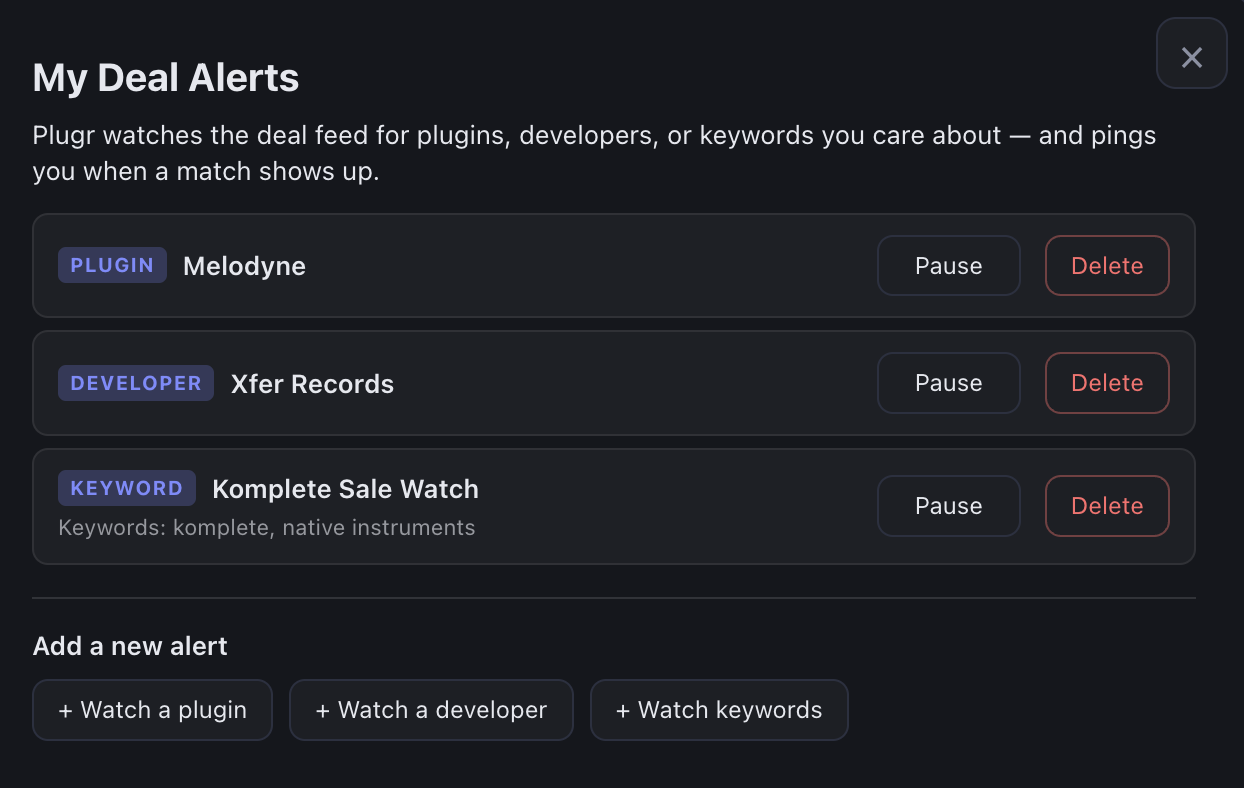
Plugr keeps an eye on the major plugin sale sites and brings everything into one tidy feed. Smart filters help you focus on what matters to you.

  • Pulls in deals from VST Buzz, Plugin Boutique, Audio Plugin Deals, and more
  • Filter by developers you trust, or just browse everything on sale today
  • See instantly which deals are upgrades to plugins you already own
  • View prices in your local currency — USD, EUR, GBP, CAD, AUD, JPY
  • Wishlist deals to come back to, dismiss the ones that aren't for you
  • Sort by discount, by price, or by what's newest
Plugr deals tab showing discount badges and 'You own' labels
Tools

The little tools you needed yesterday

The tap tempo, delay calculator, and key picker you've been Googling for years — built right into Plugr so you don't have to leave your session to grab them.

  • Tap tempo — find the BPM of anything by tapping along, or with the spacebar
  • BPM ↔ delay calculator — convert between any BPM and millisecond delay times for any note value
  • Camelot wheel — find harmonically compatible keys for mixing or remixing
  • Always available, always at the same place — no more juggling browser tabs
Plugr Tools tab showing tap tempo, delay calculator, and Camelot wheel

And everything else you'd hope for

The smaller features that add up to a much better experience.

Studio palette themes

Eleven themes built in — three system defaults plus eight studio-inspired palettes that match the look of popular DAWs.

Bulk editing

Clean up your library fast — rename, retag, or organize hundreds of plugins at once instead of clicking one by one.

iCloud sync

Keep your tags, favorites, project library, and update sources synced between your studio Mac and your laptop. (Optional.)

Export your library

Take your entire library out as a spreadsheet anytime — useful for backup, insurance documentation, or just peace of mind.

Backup & restore

Save your entire Plugr setup — tags, favorites, notes, custom sources — as a single file. Restore it on a new Mac in seconds.

Multi-format aware

Tag, categorize, or set an update source on one format and every other format of the same plugin (VST3, VST2, AU, AAX, CLAP) inherits it automatically.

Duplicate detection

Spot older copies of the same plugin sitting alongside newer versions — perfect for cleaning out years of accumulated cruft.

Fast search

Find any plugin by name, developer, or category as you type. Works even on huge libraries with thousands of plugins.

Custom categories

Add your own categories if "Effect" and "Instrument" aren't specific enough — "Mastering Suite", "Live FX", whatever you need.

Ready to organize the chaos?

Download Plugr free and scan your library in a couple of minutes. No card required.